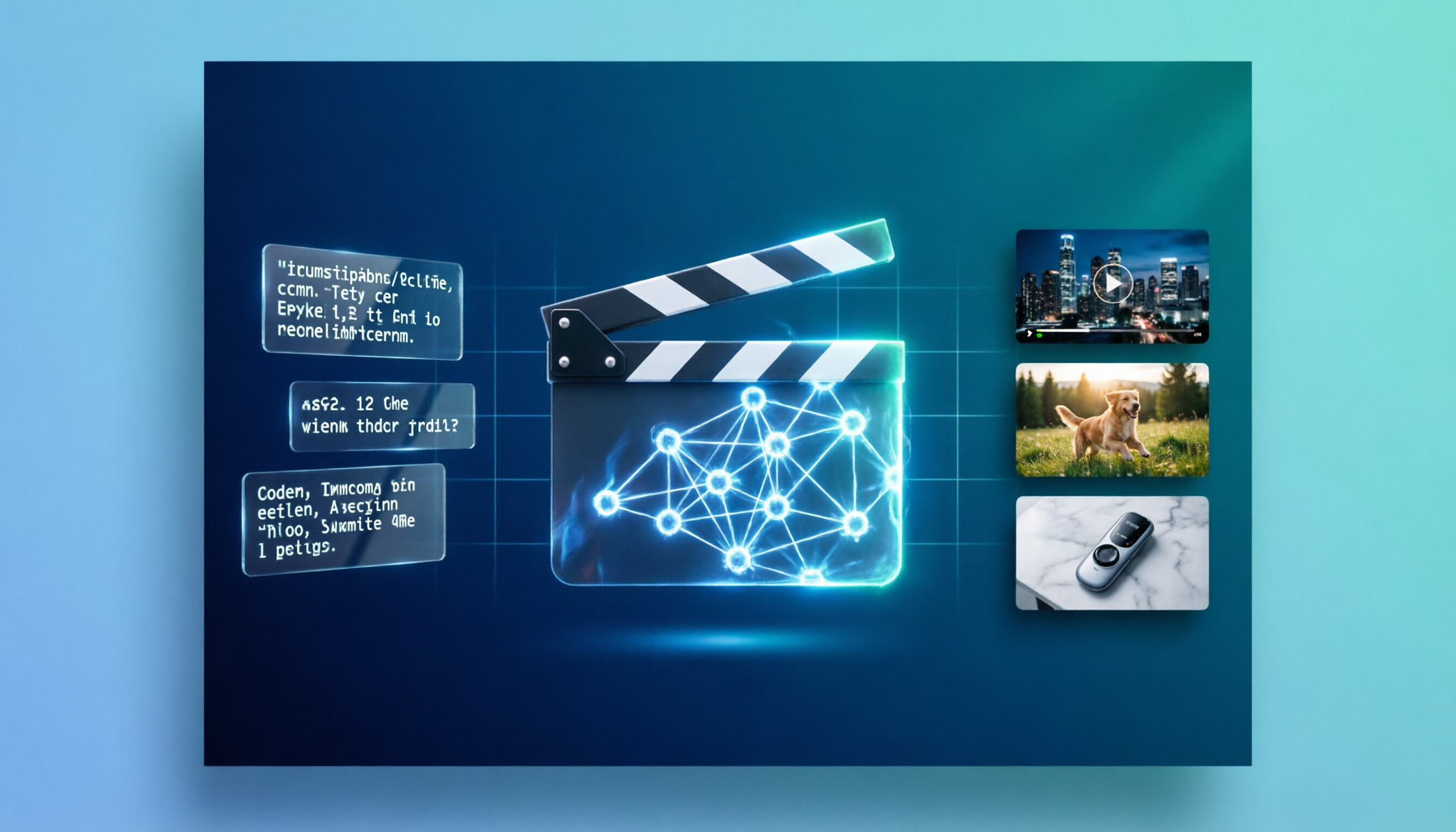
Seedance 2.0 完整教程:零基础到电影级 AI 视频实战指南(2026)
经过 300 多次 Seedance 2.0 生成测试,我总结了这套完整教程。包含 15 个可直接复制的 prompt 模板、@ 引用系统详解、以及电影级拍摄技巧——从第一次生成到多镜头叙事的全流程指导。
刚上手 Seedance 2.0 的第一周,我把大量额度浪费在了变形的人脸、僵硬的走路动作和看起来像廉价幻灯片的画面上。模型的能力毋庸置疑,但问题出在我的 prompt。经过 300 多次生成之后,我终于搞清楚了什么才真正有效:一套三层式 prompt 结构、大多数教程压根不提的 @ 引用系统,以及一组「第一次就能出片」的模板。这篇就是我在第一天就希望自己能读到的教程。
Seedance 2.0 是什么——30 秒速览
Seedance 2.0 是 ByteDance 于 2026 年 2 月发布的最新 AI 视频生成器。如果你用过 Seedance 1.5,以下是三个最关键的升级:
- 多模态输入:可以同时输入文字 + 最多 9 张图片 + 3 段视频 + 3 段音频
- 原生音频:音效、配乐和多语言口型对话直接内置在生成流程中
- 15 秒时长:相比之前的上限大幅提升,支持在单次生成中完成多镜头叙事
| 规格 | 详情 |
|---|---|
| 分辨率 | 480p、720p、1080p(标准版);480p、720p(Fast 版) |
| 时长 | 4–15 秒 |
| 宽高比 | 16:9、9:16、1:1、4:3、3:4、21:9 |
| 输入类型 | 文字、图片、视频片段、音频轨道 |
| 音频 | 原生同步——音效、配乐、对话 |
想深入了解功能细节以及 Seedance 2.0 与 Kling、Sora 2 的对比,请阅读 Seedance 2.0 完整指南。
如何使用 Seedance 2.0
你不需要中国手机号,也不需要 VPN。最快的方式是直接在浏览器中使用 SoraVideo.art 的 Seedance 2.0 工具——文字生成视频、图片生成视频、引用生成视频,一站搞定。
60 秒内开始生成
前往 SoraVideo.art → Seedance 2.0,从文字生成视频开始体验。无需单独注册 ByteDance 账号。新用户可以用 $4.99 入门包 先试水——足够跑完本教程里的所有模板。觉得好用再订阅月度计划。如需了解其他访问方式(包括 Dreamina 和 BytePlus API),请查看完整的使用指南。
5 分钟生成你的第一个视频
大多数教程只展示文字生成视频,这就好比学开车只教你挂一挡。Seedance 2.0 有三种生成模式——根据你手头的素材选择对应的模式:
- 文字生成视频(Text-to-Video) → 脑海中有想法,但没有任何素材
- 图片生成视频(Image-to-Video) → 有一张照片,想让它动起来
- 引用生成视频(Reference-to-Video) → 有图片 + 视频片段 + 音频,想把它们混合在一起
以下是你第一次生成的分步指南:
第一次尝试建议选择文字生成视频。使用以下适合新手的参数设置:
| 参数 | 推荐值 | 原因 |
|---|---|---|
| 时长 | 5 秒 | 迭代更快,消耗更少额度 |
| 分辨率 | 720p | 质量与速度的最佳平衡 |
| 宽高比 | 16:9 | 通用格式 |
| 音频 | 开启 | Seedance 的独特优势——别浪费了 |
复制下面这个入门 prompt,直接粘贴使用:
A golden retriever runs through a sunlit meadow toward the camera.
Slow motion. Cinematic golden hour lighting. Shallow depth of field.
Camera tracks the dog at eye level, slight handheld movement.
Warm color grading, film grain texture.
为什么这个 prompt 有效:
- 主体具体:"golden retriever"(金毛猎犬)而不是"a dog"(一只狗)
- 动作清晰:"runs through a meadow toward the camera"(穿过草地跑向镜头)
- 镜头有方向:"tracks at eye level, handheld movement"(平视跟拍,手持感)
- 风格明确:"golden hour, shallow DOF, film grain"(黄金时段、浅景深、胶片颗粒)
点击生成,等待 30–60 秒。看到结果后,问自己三个问题:
- 主体对不对? 如果狗看起来不对,就更具体地描述品种、颜色和体型。
- 动作对不对? 如果动作感觉僵硬,加上"natural gait"(自然步态)或"energetic sprint"(充满活力的奔跑)之类的词。
- 镜头对不对? 如果构图有偏差,指定拍摄距离——"medium shot"(中景)或"close-up"(特写)。
每次只改一个变量。不要整个 prompt 重写——那会重置模型的理解,白白浪费额度。
你的第一个视频不会完美,这很正常。迭代才是核心技能,不是运气。
三层式 Prompt 结构
测试了几百条 prompt 之后,我始终回到同一个结构。每一条有效的 Seedance 2.0 prompt 都包含三个层次:
| 层次 | 写什么 | 示例 |
|---|---|---|
| 场景 | 地点、时间、天气、氛围 | rain-soaked neon alley at midnight, steam rising from grates |
| 主体 | 角色、动作、表情、服装 | woman in black trench coat, walking fast, tense expression |
| 镜头与风格 | 镜头类型、运动方式、调色、胶片质感 | tracking shot from behind, film noir palette, 35mm grain |
我踩过的坑总结
模型从左到右阅读 prompt,写在前面的内容权重最高。 如果你的主体总是被背景抢戏,把主体描述移到 prompt 的最前面。
150 词是最佳长度。 低于 50 词,模型会随机脑补。超过 300 词,模型开始忽略后半段。我反复测试过——120 到 200 词始终能产出最好的效果。
用正面描述,永远不要用否定句。 写"sharp focus, clean details"(锐利对焦,干净细节)而不是"no blur, no artifacts"(不要模糊,不要瑕疵)。模型对正面指令的理解可靠得多。
中英文混用有时效果更好。 动作描述用英文通常更精准,而氛围和情绪类关键词有时用中文反而效果更强。我个人的做法是:主体 prompt 用英文,风格关键词在追求特定美学时用中文。
@ 引用系统——大多数教程都跳过了这个
这是让 Seedance 2.0 和其他所有 AI 视频生成器拉开差距的功能。大多数教程只用一句话带过,这是个大失误——它是实现稳定、可控结果的最强大工具。
你可以上传什么
| 类型 | 数量限制 | 控制什么 |
|---|---|---|
| 图片 | 0–9 张 | 角色外观、环境、风格 |
| 视频 | 0–3 段(总长 ≤ 15 秒) | 镜头运动、动作风格、节奏 |
| 音频 | 0–3 段(总长 ≤ 15 秒) | 音乐节奏、对话口型同步、环境音 |
优先级系统如何运作
模型按以下顺序对引用素材加权:
- @Audio = 节奏锚点——驱动口型同步时序和节拍匹配剪辑
- @Video = 运动锚点——复刻镜头轨迹和动作编排
- @Image = 视觉锚点——锁定角色面部、服装和环境风格
完整示例 prompt
Character from @Image1 walks through the landscape in @Image2.
Camera follows from @Video1 perspective, smooth tracking movement.
Background music synced to @Audio1, beat-matched cuts.
Cinematic warm lighting, shallow depth of field, 35mm film texture.
实用技巧
- 从 2–3 个文件开始,而不是 12 个。 引用越多,冲突信号越多。循序渐进地增加复杂度。
- 角色图片使用干净背景的半身照。 复杂背景会干扰视觉锚点。
- 在 prompt 中明确指定每个引用控制什么。 不要只是上传文件然后撞大运——明确告诉模型:"face from @Image1"或"camera movement from @Video1"。
15 个可直接复制的 Prompt 模板
以下每个模板都可以直接粘贴使用。我附上了 prompt、有效原因分析和推荐参数。
文字生成视频 Prompt
1. 产品广告
A sleek espresso machine sits on a marble kitchen counter.
Steam rises from a freshly pulled shot. Morning sunlight streams
through a window, casting warm highlights on brushed steel.
The camera performs a slow 180-degree orbit around the machine.
Shallow depth of field, product photography lighting,
warm neutral color grading, 4K commercial quality.
有效原因: 具体的产品 + 自然环境 + 可控的环绕镜头 + 商业灯光语言。 参数: 16:9 · 10 秒 · 720p · 音频开启
2. 动漫打斗场景
Two samurai face each other in a bamboo forest at dawn.
Wind ripples their clothing. Leaves fall slowly between them.
In a sudden burst, both draw swords simultaneously.
Steel clashes with a brilliant spark. The camera whip-pans
between close-ups of their determined eyes and the
impact point. Anime cel-shading style, dramatic speed lines,
saturated color palette, dynamic composition.
有效原因: 清晰的铺垫 → 动作节拍 → 镜头指令 + 动漫特定风格关键词。 参数: 16:9 · 8 秒 · 720p · 音频开启
3. 格斗编排
A martial artist in a white gi executes a spinning roundhouse kick
in an industrial warehouse. Dust particles explode from the impact
point. The camera captures the kick in slow motion from a low angle,
then snaps to real-time as the fighter lands and transitions into
a defensive stance. Dramatic side lighting with deep shadows.
Cinematic action film style, sharp focus on the fighter,
motion blur on the kick arc.
有效原因: 具体的武术动作 + 环境反应(灰尘)+ 速度变化(慢动作 → 实时)+ 强灯光指导。 参数: 16:9 · 10 秒 · 720p · 音频开启
4. 短片开场
A lone figure in a worn overcoat walks through an abandoned
train station at twilight. Broken glass crunches under each step.
Pigeons scatter from the rafters. Volumetric light shafts cut
through dusty air from shattered skylights. The camera begins
with a wide establishing shot, then slowly dollies forward,
following the figure deeper into the station.
Desaturated teal-and-amber color grade, anamorphic lens flares,
melancholic atmosphere, film grain.
有效原因: 感官细节(碎玻璃声、鸽子、灰尘)+ 经典推轨开场 + 精确调色 + 情感基调。 参数: 21:9 · 8 秒 · 720p · 音频开启
5. 社交媒体竖版短视频
Extreme close-up of latte art being poured into a ceramic mug.
Milk swirls into a perfect rosetta pattern. Steam rises gently.
The camera is locked overhead, shooting straight down.
Warm morning light from the left. Cozy café aesthetic,
soft bokeh background, ASMR-quality detail.
Slow motion, satisfying visual rhythm.
有效原因: 俯拍锁定 = 竖版视频的稳定构图 + ASMR/解压内容钩子 + 具体的拉花图案。 参数: 9:16 · 5 秒 · 720p · 音频开启
图片生成视频 Prompt
6. 产品照片 → 推广视频
上传你的产品照片作为参考图,然后使用以下 prompt:
The product in @Image1 sits on a clean surface.
The camera slowly orbits 180 degrees around it.
Soft studio lighting highlights surface textures and materials.
A subtle reflection appears on the surface below.
Product photography style, premium aesthetic,
smooth continuous camera movement.
有效原因: @Image1 锁定产品外观 + 环绕镜头展示各角度 + 棚拍灯光语言触发专业渲染。 参数: 16:9 · 8 秒 · 720p · 音频关闭
7. 肖像照片 → 角色动画
上传一张肖像照片,然后:
The person in @Image1 turns their head slowly from left to right,
as if noticing something in the distance. A gentle breeze moves
their hair. Natural expression transitions from neutral to
a slight smile. The camera holds a medium close-up, steady.
Soft natural lighting, cinematic skin tones,
shallow depth of field on the background.
有效原因: 简单可控的动作(转头)+ 自然环境互动(微风)+ 固定镜头避免变形。 参数: 16:9 · 5 秒 · 720p · 音频关闭
8. 风景照 → 电影级平移
上传一张风景照片,然后:
The landscape in @Image1 comes alive with subtle motion.
Clouds drift slowly across the sky. Grass sways in a gentle wind.
Light shifts as the sun moves behind a cloud.
The camera performs a slow horizontal pan from left to right,
revealing the full scene. Epic cinematic scale,
golden hour warmth, wide-angle lens perspective.
有效原因: 要求环境运动(云、草、光线变化)而非角色运动,风景类素材对此处理得更好。 参数: 21:9 · 10 秒 · 720p · 音频开启
9. 首帧 + 尾帧控制
上传两张图片——模型会自动将第一张作为开头帧,第二张作为结尾帧:
Smooth cinematic transition from @Image1 to @Image2.
The camera slowly pushes forward as the scene transforms.
Lighting transitions naturally between the two environments.
Maintain visual continuity and fluid motion throughout.
Dreamlike quality, gentle pace, soft color blending.
有效原因: 上传两张图片会自动触发 Seedance 2.0 的首尾帧模式,prompt 则引导过渡风格。 参数: 16:9 · 6 秒 · 720p · 音频开启
10. 跨镜头角色一致性
上传你的角色参考图,然后在项目中的每次生成都使用这个 prompt:
Character from @Image1 walks down a busy city street at night.
Maintain facial features and wardrobe fully consistent with @Image1:
short black hair, blue denim jacket, white sneakers.
Natural walking pace, confident posture.
The camera tracks from a side angle at waist height.
Urban night atmosphere, neon reflections on wet pavement.
有效原因: 双重锚定——@Image1 视觉引用 + 文字明确描述关键特征。这种冗余对于多次生成间的一致性至关重要。 参数: 16:9 · 8 秒 · 720p · 音频开启
引用生成视频 Prompt(Seedance 2.0 独有)
这些模板使用了只有 Seedance 2.0 才提供的完整多模态能力。
11. 多模态混合——图片 + 视频 + 音频
上传素材:角色照片 + 参考视频片段 + 背景音乐。
Use the first-person perspective framing of @Video1 throughout.
Use @Audio1 as background music throughout, beat-synced editing.
Character from @Image1 walks through a neon-lit street market.
Camera follows the character from behind, matching the movement
style in @Video1. The character pauses to examine a food stall,
turns to the camera, and smiles. Cinematic night photography,
rich saturated colors, shallow depth of field.
有效原因: 每个 @ 引用都有明确定义的角色——@Video1 控制镜头、@Audio1 控制节奏、@Image1 控制角色。 参数: 16:9 · 10 秒 · 720p · 音频开启
12. 视频编辑——替换元素
上传素材:原始视频 + 替换产品图片。
Replace the object being held in @Video1 with the product
shown in @Image1. Keep the original camera movement,
lighting, and hand gestures unchanged.
Maintain natural interaction between the hand and the new product.
Seamless integration, matching color temperature and shadows.
有效原因: 明确告诉模型保留什么(镜头、灯光、手势)以及替换什么(物体)。 参数: 匹配原始视频宽高比 · 匹配原始时长 · 720p · 音频开启
13. 视频延展——多段续接
上传素材:2–3 段你想要衔接的视频。
Continue the narrative from @Video1 into @Video2.
Maintain consistent character appearance, lighting direction,
and color grade across the transition. The camera movement
flows naturally between segments without jump cuts.
Smooth temporal blending at transition points.
Cinematic continuity, professional editing feel.
有效原因: 明确的连续性指令可以防止拼接片段时常见的突兀风格跳变。 参数: 匹配原始宽高比 · 8 秒 · 720p · 音频开启
14. MV——音频驱动生成
上传素材:角色照片 + 音乐轨道。
Character from @Image1 performs to the rhythm of @Audio1.
Movement intensity follows the music dynamics: subtle sway during
quiet sections, energetic motion during the chorus.
Camera cuts sync to beat drops. Lighting pulses with the rhythm.
Music video aesthetic, high contrast, dramatic color grading,
concert-style spotlights.
有效原因: 将特定的视觉行为(动作、剪辑、灯光)与特定的音频事件(节拍、副歌、安静段落)关联起来。 参数: 9:16 · 15 秒 · 720p · 音频开启
15. 数字人——口型同步对话
上传素材:角色照片 + 录音对话文件。
Character from @Image1 speaks the dialogue from @Audio1.
Precise lip-sync matching the audio. Natural head micro-movements:
slight nods when emphasizing points, occasional blink,
subtle eyebrow raises. Professional presenter framing,
medium close-up, clean background.
Three-point studio lighting, warm skin tones, sharp focus on face.
有效原因: 精确的微动作指令(点头、眨眼、挑眉)可以有效避免数字人视频中常见的「冻脸」问题。 参数: 16:9 · 匹配音频时长 · 720p · 音频开启
镜头语言速查表
你不需要是专业导演。只需从下表中选一个镜头术语加到你的 prompt 里,效果立刻升级。
| 术语 | 效果 | 适用场景 |
|---|---|---|
| Dolly in | 镜头向主体推进 | 情感强度递进 |
| Dolly out | 镜头从主体后拉 | 揭示环境或背景信息 |
| Tracking shot | 镜头横向跟随主体 | 动作场景、行走镜头 |
| Crane down | 镜头垂直下降 | 大气的场景建立镜头 |
| Handheld | 轻微自然抖动 | 纪录片质感、紧迫感 |
| 360° orbit | 镜头绕主体环绕 | 角色展示、产品拍摄 |
| Whip pan | 超快速水平摇镜 | 主体间的转场 |
| Rack focus | 焦点从前景移到背景 | 在元素间引导注意力 |
| Dutch angle | 镜头倾斜 | 紧张感、不安感、风格化拍摄 |
| POV | 镜头代表角色视角 | 沉浸式第一人称视角 |
保持角色一致性
角色一致性是 AI 视频最大的难点。以下是我验证有效的系统方法:
- 在项目中的每条 prompt 里始终使用同一张 @Image1。 这是你的视觉锚点。
- 即使有参考图片,也要在文字中重复关键外貌特征。 每次都写上"short silver hair, scar on right cheek, black leather jacket"(银色短发、右脸伤疤、黑色皮夹克)。模型需要视觉和文字的双重锚定。
- 角色设计尽量简洁。 配饰越少、服装越简单,在多次生成中产出的一致性越高。
- 使用干净背景的半身照作为参考图。 复杂背景或极端角度会干扰视觉锚点系统。
常见 Prompt 错误与修正
| 错误 | 反面案例 | 修正方法 |
|---|---|---|
| 过于模糊 | "a nice video of nature" | 加入具体描述:"red fox crossing a frozen river at dawn, wide shot" |
| 自相矛盾 | "fast-paced slow motion" | 只选一个:"slow motion" 或 "fast-paced editing" |
| Prompt 过长 | 300+ 词 | 精简到 120–200 词——重要内容放在最前面 |
| 没有镜头指令 | 完全缺失 | 至少加一个:"tracking shot" 或 "static medium shot" |
| 否定式描述 | "no blur, no artifacts" | 改写为:"sharp focus, clean output, crisp details" |
| 引用素材过载 | 一次上传 12 个文件 | 从 2–3 个文件开始,有需要时再逐步增加 |
常见问题
Seedance 2.0 的最佳 prompt 长度是多少? 我反复验证的结果是 150 词左右最佳。低于 50 词模型会猜太多,超过 300 词就开始忽略后半段。最重要的元素放在最前面——先写主体和动作,再写风格和镜头。
Seedance 2.0 可以使用中文 prompt 吗? 当然可以,而且有时候中文在表达情绪和氛围方面效果更强。我的做法是中英混用——主体和动作描述用英文,在追求特定美学风格时用中文关键词。两种语言都原生支持。
如何在多个视频中保持角色一致? 始终使用同一张 @Image1 作为引用。然后每次在文字中重复关键特征:"short silver hair, mole under left eye, blue jacket"(银色短发、左眼下方痣、蓝色夹克)。模型需要视觉和文字的双重锚定。简洁的角色设计比复杂设计更稳定。
Seedance 2.0 和 Sora 2 的 prompt 写法有什么区别? 不同工具对不同的 prompt 风格响应不同。Sora 2 对氛围和情感类词汇的理解更强,Seedance 2.0 则对具体的动作描述和 @ 引用指令响应更好。我另外写了一篇 Sora 2 prompt 指南,方便你对比两种写法。
生成需要多久? 720p 下一个 5 秒片段通常需要 30–60 秒。开启音频的 15 秒片段可能需要 90–120 秒。如果你在反复调整 prompt,可以先用较低分辨率(480p)加速迭代。
Seedance 2.0 生成的视频可以商用吗? 授权条款因平台而异。在 SoraVideo.art 上,生成的内容可以商用。在发布商业内容前,请检查对应平台的具体条款。
Seedance 2.0 支持负面 prompt 吗? 没有像图片生成器那样的独立负面 prompt 输入框。替代方案是使用正面描述:"sharp focus"(锐利对焦)而不是"no blur"(不要模糊),"stable composition"(稳定构图)而不是"no shaking"(不要抖动)。模型对肯定式指令的执行更可靠。
总结
Seedance 2.0 是我在 2026 年用过的最强大的 AI 视频生成器——但前提是你得知道怎么跟它「说话」。三层式 prompt 结构、@ 引用系统,以及上面的 15 个模板,就是我每天都在用的全部方法。
从一个模板开始。生成。检查。改一个地方。再生成。第一次使用就能产出电影级画面,这不是空话。
刚接触 Seedance 2.0? 先阅读使用指南完成设置,然后回到这里学习 prompt 写法。想在大量使用前了解成本? 查看 Seedance 2.0 定价详解。想全面了解功能特性? Seedance 2.0 完整指南深入介绍了所有技术细节。
开始用 Seedance 2.0 创作
访问 Seedance 2.0、Sora 2 Storyboard、Kling Motion Control 等更多工具,尽在 SoraVideo.art——你的一站式 AI 视频工具平台。查看方案。
作者

分类
更多文章
Sora 2 是什么?人人热议的 AI 视频生成器详解
弄清 Sora 2 的核心能力、使用步骤、竞品对比,以及创作者最爱的真实案例。

免费Sora 2水印去除器:7种不花一分钱去除Sora水印的方法
寻找免费的Sora 2水印去除器?我测试了所有免费方法——从链接提取到开源工具。这是真正有效的7种方法,附真实的优缺点分析。
Kling 3.0 AI 视频模型全面解析:功能特性、Omni 模式、定价与真实评测
Kling 3.0 完整指南,包含真实用户评测。多镜头序列、原生音频、Omni 模式、角色一致性以及 Kling AI 3.0 的真实定价解析,帮你全面了解这款 AI 视频模型。
邮件列表
加入我们的社区
订阅邮件列表,及时获取最新消息和更新