
Seedance 2.0 — ByteDance AI Video Generator Features & Full Guide
I tested Seedance 2.0 by ByteDance — native 2K video, multi-shot storytelling, and real audio sync. Full guide comparing Seedance 2 vs Kling AI vs Sora 2 inside.
I've spent the last year generating thousands of AI videos with every model on the market — Sora 2, Kling AI, Hailuo, you name it. When ByteDance dropped Seedance 2.0 in February 2026, I cleared my schedule and put this AI video model through a full week of testing. Here's what you need to know about the Seedance 2 AI video generator.
What Is Seedance 2? (And Why You Should Care)
Seedance is the AI video generation model built by ByteDance's Seed research team. If you have used Dreamina or CapCut, you have already seen what the Seed team can build. The Seedance AI video model has evolved rapidly — from Seedance 1.0 through Seedance 1.5 and Seedance 1.5 Pro to the latest Seedance 2.0 — each version pushing the limits of AI video generation further.
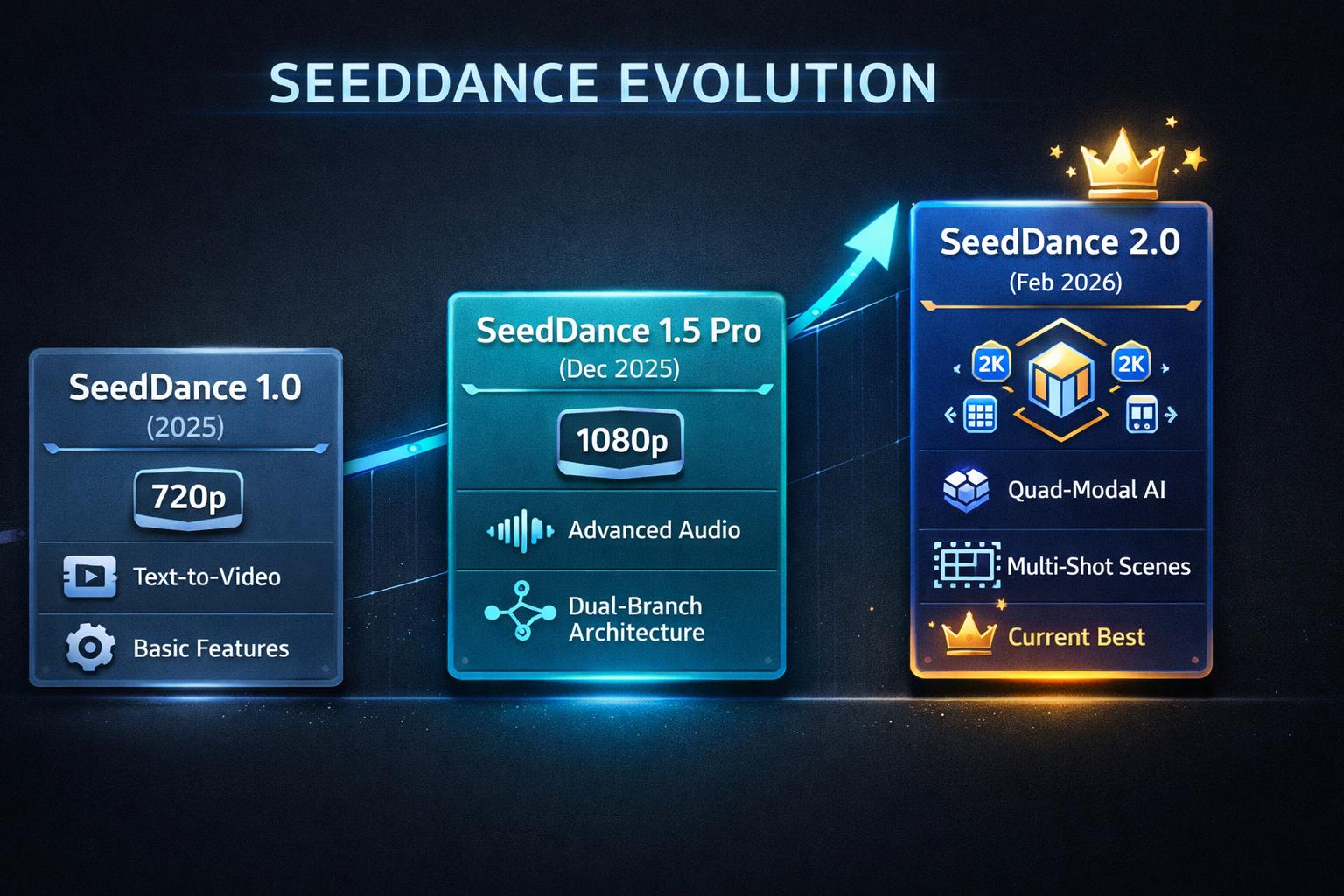
Here's the big picture. Seedance 2.0 is not just another incremental update to the Seedance AI lineup. ByteDance rebuilt the core architecture of this AI video model, adding quad-modal input, native 2K resolution output, and real-time audio-video synchronization. Industry analysts call the Seedance 2 release a defining moment for AI video — the point where AI video generation crosses from impressive demos to production-ready Seedance AI workflows.
Try Seedance 2.0 today
The fastest way to try Seedance 2 is on Seedance 2 AI — a dedicated platform for Seedance video generation with free daily credits, 1080p to 2K output, and no credit card required. You can also access Seedance 2.0 on Dreamina by selecting Seedance 2.0 under the AI Video tab.
Before version 2.0 even launched, the Seedance AI model already ranked #1 on the Artificial Analysis benchmark for text-to-video AI video generation. Now, Seedance 2.0 is competing directly with Sora 2 and Kling 3 for the top spot in the AI video space.
5 Seedance 2.0 Features That Blew Me Away
I have tested dozens of AI video generators over the past year. Here are the five Seedance 2 capabilities that genuinely changed how I work with AI video.
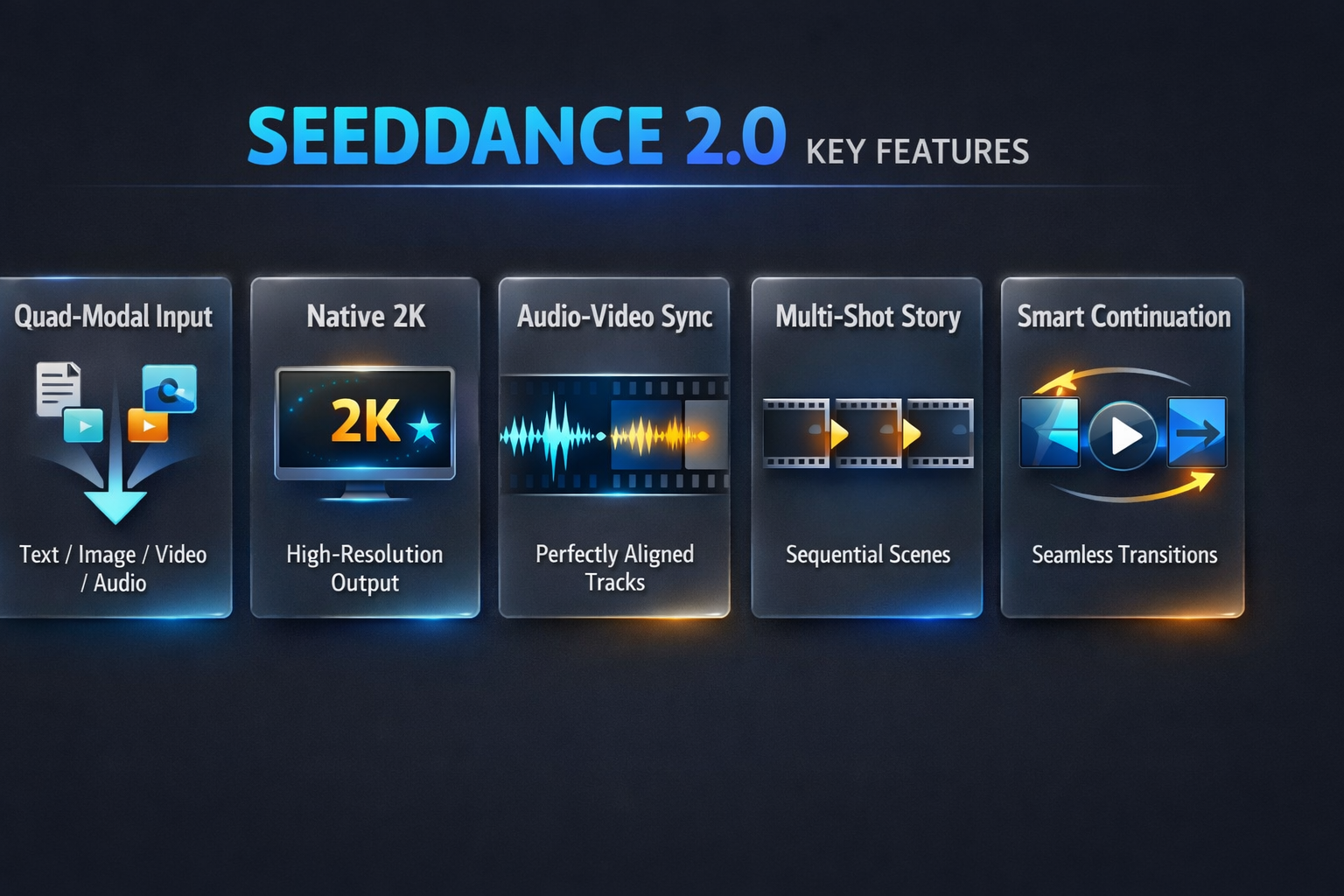
1. Quad-Modal Input — Feed It Anything
Most AI video models accept text prompts. Some handle image-to-video. Seedance 2.0 accepts four input types simultaneously — text, images (up to 9), video clips (up to 3), and audio tracks (up to 3). You can mix up to 12 files in a single Seedance AI video generation using the @ syntax control system.
Here's what makes the Seedance 2 approach different: feed it a reference image for the character, a video clip for the motion style, an audio track for the soundtrack, and a text prompt for the story — all in one go. No other AI video model offers this level of multimodal control for AI video creation.
2. Native 2K Resolution — No More Upscaling Hacks
I used to upscale every AI video clip I generated. With Seedance 2.0, that workaround is dead. The Seedance 2 AI video model outputs native 2K resolution across multiple aspect ratios — 16:9, 9:16, 4:3, 21:9, and 1:1. Every frame comes out cinema-grade straight from the Seedance AI engine, no post-processing needed.
3. Audio-Video Sync — It Just Works
This is the Seedance 2.0 feature that stopped me in my tracks. The Seedance AI model generates high-fidelity audio simultaneously with video — not as post-processing. The Seedance 2 engine handles synchronized dialogue with accurate lip-sync across English, Mandarin, Japanese, Korean, Spanish, and more. Ambient soundscapes, background music, and foley effects all match the AI video environment naturally.
4. Multi-Shot Storytelling — One Prompt, Multiple Scenes
Seedance 2.0 is the only AI video model that natively generates coherent multi-shot sequences from a single prompt. The Seedance 2 engine handles automatic scene transitions, camera movements, and persistent character identity across shots. I'm here to tell you — this Seedance AI capability is a game-changer for anyone creating short-form AI video content.
5. Smart Continuation — Keep the Camera Rolling
Need a longer clip? Seedance 2 introduces Smart Continuation — a feature that understands preceding story logic and camera trajectory. Hit continue and the Seedance 2.0 AI video model keeps filming naturally. No more awkward jump cuts between separately generated Seedance AI video clips.
Seedance 2 vs Seedance 1.5 Pro — What Actually Changed
I used Seedance 1.5 Pro for months before the Seedance 2.0 upgrade arrived. Here is how the Seedance 2 AI video model compares to previous Seedance versions:
| Feature | Seedance 1.0 | Seedance 1.5 Pro | Seedance 2.0 |
|---|---|---|---|
| Max Resolution | 720p | 1080p | Native 2K |
| Input Modes | Text only | Text + Image | Text + Image + Video + Audio |
| Audio Generation | None | Native audio-video sync | Enhanced multi-language sync |
| Multi-Shot | No | No | Yes — native multi-shot |
| Lip-Sync Languages | None | 8+ languages | 10+ languages |
| Generation Speed | ~60s per 5s clip | ~55s per 5s clip | ~41s per 5s clip (30% faster) |
| Smart Continuation | No | No | Yes |
The jump from Seedance 1.5 Pro to Seedance 2.0 is generational, not incremental. The Seedance 2 AI video model adds entirely new capabilities — quad-modal input and multi-shot storytelling — that earlier Seedance AI versions simply did not have.
Seedance 2 vs Kling AI vs Sora 2 — I Tested All Three
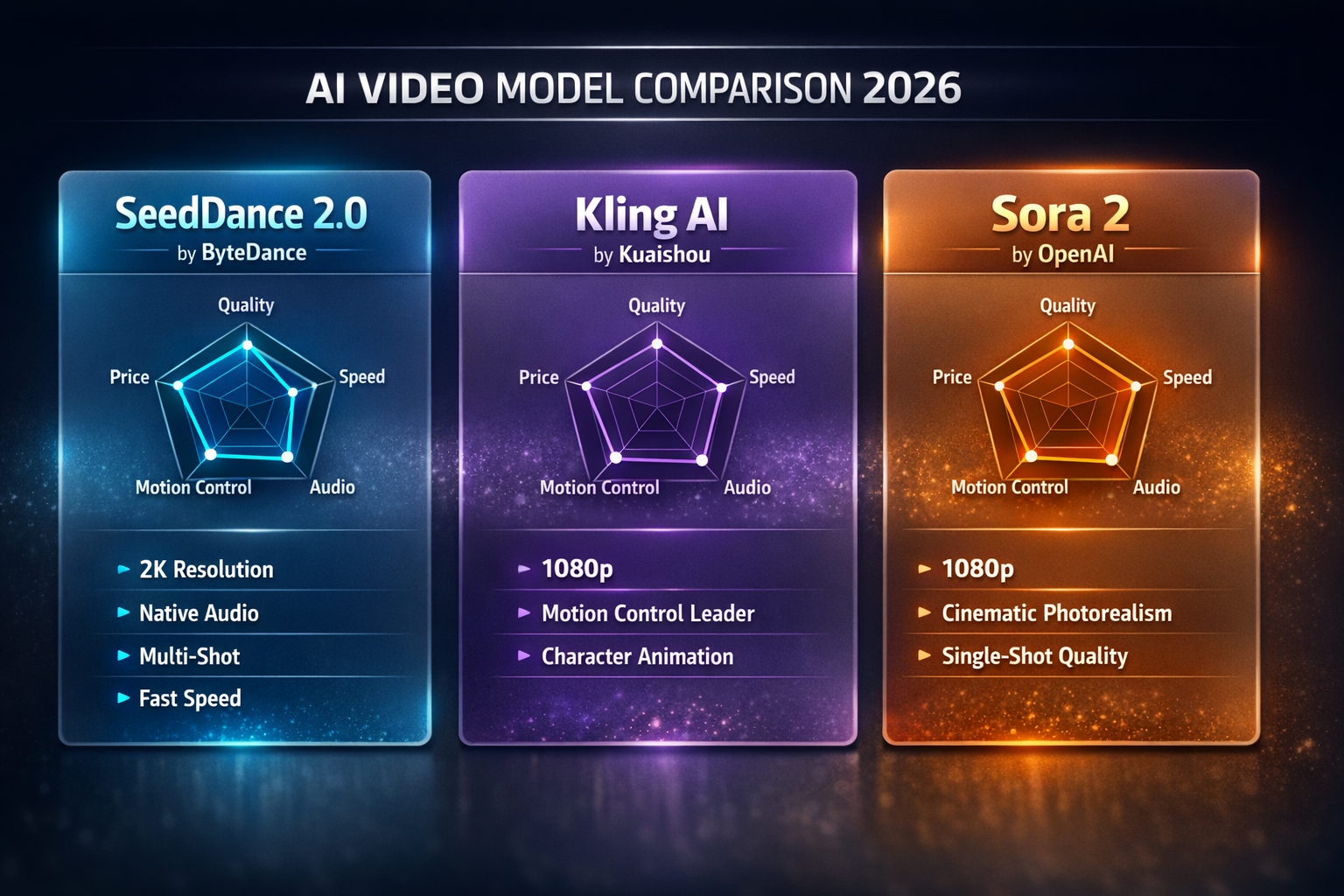
I ran the same prompt through Seedance 2.0, Kling AI, and Sora 2. Here is my honest breakdown of these three AI video models:
| Feature | Seedance 2.0 | Kling AI (v2.6) | Sora 2 |
|---|---|---|---|
| Developer | ByteDance | Kuaishou | OpenAI |
| Max Resolution | 2K | 1080p | 1080p |
| Native Audio | Yes | No | No |
| Multi-Shot | Yes | No | No |
| Motion Control | Good | Industry-leading | Moderate |
| Generation Speed | Very fast (~41s) | Medium | Medium |
| Pricing | Free credits + API | Freemium | Subscription |
| TikTok Workflow | Via Dreamina / CapCut | Native | None |
| API Access | BytePlus + third-party | Yes | Yes |
Here's my honest take on the Seedance 2 vs Kling AI vs Sora 2 comparison:
If you need motion control and character animation, Kling AI still leads. The Kling motion control precision is unmatched for dance sequences and action scenes in AI video.
If you need cinematic single shots, Sora 2 delivers incredible photorealism. Check our Sora 2 prompts guide to push it further.
If you need multi-shot stories with synchronized audio, Seedance 2.0 is the only AI video model that handles this natively. The Seedance AI video generator dominates when you need coherent narrative AI video sequences with real sound.
How to Start Using Seedance 2.0 AI Video Generator (Step-by-Step)
Let me walk you through getting started with the Seedance 2 AI video model:
Head to Dreamina (international) and create a free account. You will receive daily free credits for Seedance AI video generation immediately — no waitlist required for Seedance 2.0 access.
Navigate to the AI Video tab and choose Seedance 2.0 from the model selector. This is the latest Seedance AI model with all the new features including quad-modal input and multi-shot storytelling for AI video.
Write a descriptive text prompt for your AI video scene. With Seedance 2.0, you can also upload reference images, video clips, and audio tracks using the @ syntax to guide Seedance AI generation precisely.
Hit Generate and your Seedance 2 AI video will be ready in under 60 seconds. Preview the output, iterate on your prompt if needed, and download the finished Seedance AI video clip.
Try Seedance 2 on Seedance2AI.one
If you want a streamlined way to try the Seedance 2 model without setting up Dreamina, Seedance 2 AI offers a dedicated platform focused entirely on Seedance video generation. It supports both text-to-video and image-to-video with 1080p to 2K output, multiple style presets (realistic, anime, cinematic, fantasy), and free daily credits to get started — no credit card required.
For developers: The Seedance AI video model is also available through the BytePlus API and third-party providers like Replicate, Together AI, and WaveSpeed AI. Check the official ByteDance Seed documentation for Seedance 2.0 API integration guides.
Seedance AI Video Pricing — Is It Worth It?
Let me break down the numbers for the Seedance 2.0 AI video model so you can decide which plan fits your workflow:
- Dreamina Free Tier — Daily free credits for Seedance AI video generation. Enough for 2-3 short Seedance 2 clips per day to test and iterate.
- Dreamina Credits — A 10-second Seedance Pro AI video at 720p costs around 1,880 credits (approximately $4.60 outright, or $1.91 on the largest plan).
- BytePlus API — Starting at $0.010/second for Seedance Lite AI video, with 2M free tokens for new accounts.
- Third-Party Providers — Plans from $19.9 to $69.9/month depending on Seedance AI video volume and resolution.
Here's my recommendation for most creators: start with the free Dreamina tier to test Seedance 2.0 for your specific AI video workflow. If you are generating AI video content at scale, the BytePlus API gives you the best cost per Seedance video clip.
How Creators Are Using Seedance 2 for Social Media Video
Seedance AI for TikTok and Short-Form Video
The connection between Seedance AI and short-form video runs deep. ByteDance operates Douyin (the Chinese counterpart to TikTok), giving the Seedance 2 team insider knowledge of what creators need from an AI video tool. The Seedance 2.0 AI video model excels at vertical 9:16 output, rapid iteration with turbo mode, and the kind of trending AI video formats that go viral on TikTok, Instagram Reels, and YouTube Shorts.
Building a Professional AI Video Workflow with Seedance 2.0
The most powerful approach I have found is combining multiple AI video models. Here is the Seedance AI workflow I use daily:
- Concept and script — Use Sora 2 prompt engineering techniques to develop the visual direction for your AI video project.
- Character and motion — Generate motion-heavy AI video content with Kling Motion Control for precise character animation.
- Story and audio — Build multi-shot narratives with Seedance 2.0 for synchronized audio and coherent AI video scenes.
- Polish and deliver — Finish with the AI video tools on SoraVideo.art for upscaling, watermark removal, and final output.
This multi-model approach lets you leverage each AI video tool's strengths — Seedance 2 for storytelling and audio, Kling for motion precision, and Sora 2 for cinematic hero shots.
FAQ About Seedance 2 AI Video Model
What is Seedance 2.0? Seedance 2.0 is the latest AI video generation model from ByteDance's Seed team. The Seedance 2 AI video model features quad-modal input, native 2K resolution, multi-shot storytelling, and built-in audio-video synchronization for AI video creation.
Is the Seedance 2 AI video model free to use? Yes. You can start generating Seedance 2.0 AI videos for free on Seedance 2 AI with daily credits and no credit card required. Seedance 2 is also available on Dreamina with its own free tier.
How does Seedance 2 compare to Sora 2? Seedance 2.0 excels at multi-shot storytelling and native audio generation for AI video. Sora 2 leads in cinematic photorealism for single shots. Many creators use both AI video models together — Seedance 2 for narrative sequences and Sora 2 for hero shots.
What is the Seedance 2.0 API? The Seedance AI video API is available through BytePlus ModelArk and third-party providers. Developers can integrate Seedance 2.0 AI video generation into their applications starting at $0.010/second.
Can Seedance 2 generate audio with video? Yes. Seedance 2.0 is one of the few AI video models that generates synchronized audio as part of the core pipeline — including dialogue with lip-sync, ambient sounds, background music, and foley effects in your AI video output.
How fast is Seedance 2.0 AI video generation? The Seedance 2 AI model generates a 5-second 1080p AI video clip with audio in under 60 seconds. Seedance 2.0 is 30% faster than Seedance 1.5 Pro for AI video generation.
Is Seedance 2 better than Kling AI for video? Seedance 2 and Kling AI serve different strengths in AI video. The Seedance 2.0 AI video model leads in multi-shot storytelling, audio sync, and 2K resolution output. Kling AI dominates in motion control and character animation. Your choice depends on your AI video workflow needs.
The Bottom Line
Seedance 2.0 is the most complete AI video generator I have tested in 2026. The combination of quad-modal input, native 2K resolution, multi-shot storytelling, and real audio-video synchronization puts the Seedance 2 AI video model in a class of its own.
If you are serious about AI video creation, Seedance 2.0 deserves a permanent spot in your toolkit. The quickest way to get started is on Seedance 2 AI — free daily credits, multiple style presets, and both text-to-video and image-to-video in one place. Combine it with Sora 2 and Kling for a production-ready AI video workflow.
Ready to try it? Generate Seedance 2.0 videos directly on SoraVideo.art — free credits included.
Want copy-paste prompt templates? See our Seedance 2.0 Tutorial with 15 Cinematic Prompt Templates →
Dealing with Seedance 2.0 watermarks? Read our guide: Seedance 2.0 Watermark Remover: 8 Tools Tested and Ranked →
Ready to create AI videos?
Explore the full suite of AI video tools on SoraVideo.art. Generate cinematic AI video content with Sora 2, Seedance AI integration, Kling Motion Control, and more — all in one platform. Start creating now.
Author

More Posts
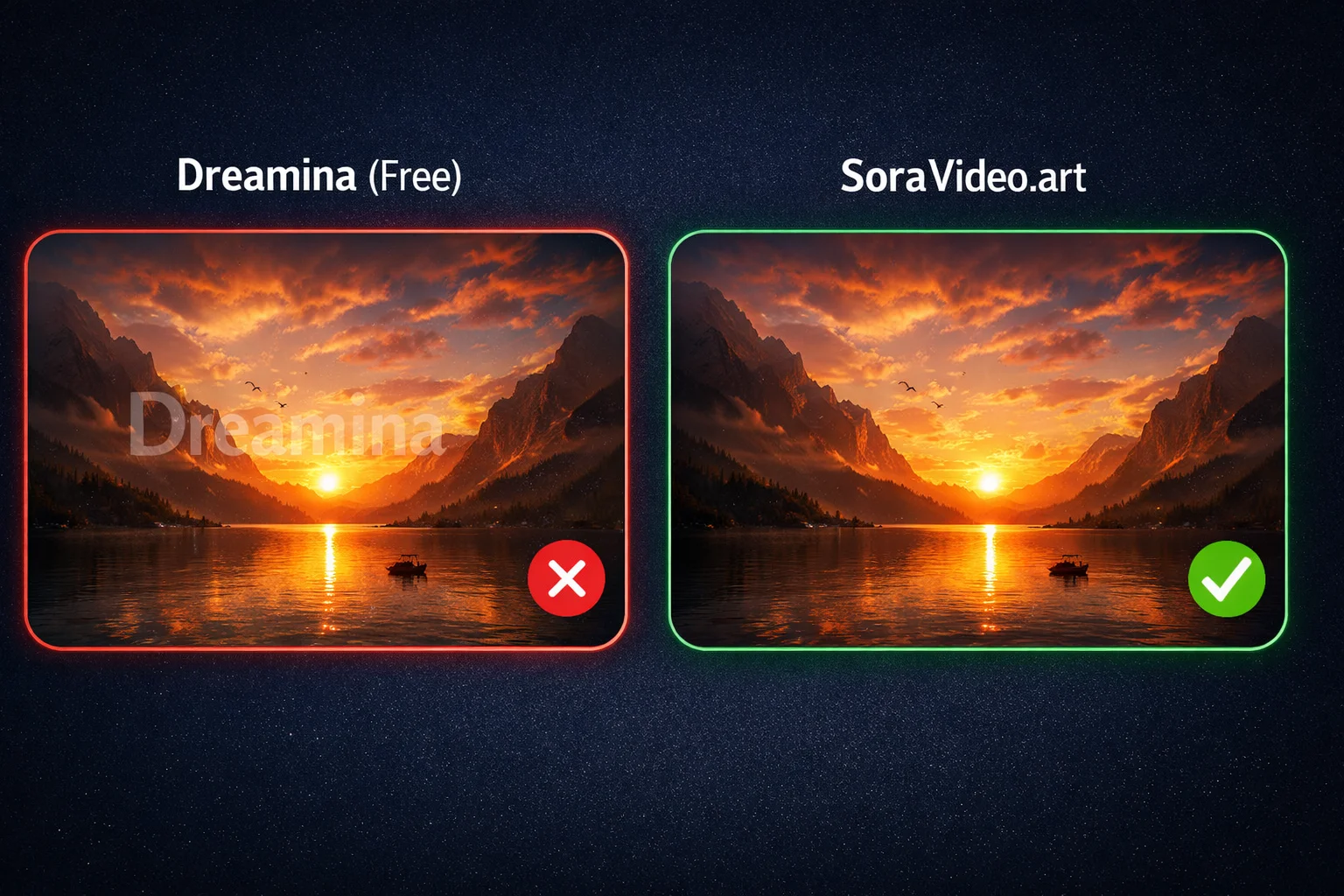
Free Seedance 2.0 Watermark Remover: 7 Ways Without Paying (2026)
7 free ways to remove Seedance 2.0 watermarks or avoid them entirely. From free credits to open-source tools — tested methods that cost nothing.

Sora 2 Watermark Remover: I Tested 10 Tools So You Don't Have To (2026 Rankings)
I tested 10+ Sora 2 watermark remover tools and ranked them by quality, speed, and price. From free online options to professional APIs — here's what actually works for removing Sora watermarks.

Seedance 2.0 Pricing: Is It Free? Complete Cost Breakdown (2026)
Is Seedance 2.0 free? Yes — with limits. Every pricing option explained: Dreamina free tier, BytePlus API costs, and third-party platforms compared side by side.
Newsletter
Join the community
Subscribe to our newsletter for the latest news and updates